
Base64 Encoder / Decoder
Encode text to Base64 or decode Base64 to text instantly in your browser.
Code & Data In your browser

Code & Data
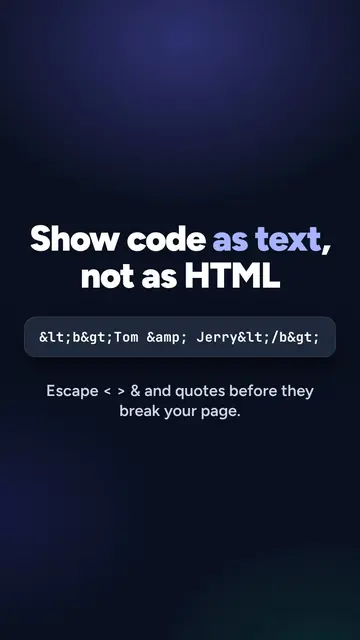
Paste text to escape the reserved HTML characters (< > & " ') into entities, or switch to decode to turn named, decimal and hexadecimal entities back into plain text. Your data never leaves this browser.
Private by design: no text is uploaded or stored.
Read the full guide: HTML Entity Encoder: encode and decode &, <, >, quotes in the browser
Private by design: no text is uploaded or stored.
Try an example
Updates when you convert or change the mode.
Encoding replaces the five reserved characters — ampersand, less-than, greater-than, double quote and single quote — with their HTML entities, escaping the ampersand first so nothing is double-escaped. Decoding reverses this: it resolves named entities, decimal (') and hexadecimal (A) references, and resolves the ampersand last so an escaped sequence like &lt; becomes < rather than a literal tag. Everything runs locally in your browser.
 0:18
Video · 0:18
Escape < > & and quotes before they break your page.
Encode text to Base64 or decode Base64 to text instantly in your browser.
Code & Data In your browser
Percent-encode or decode URL text instantly and privately in your browser.
Code & Data In your browser

Translate text to Morse code and back in your browser. Choose the direction, get instant output with correct word spacing. Nothing is uploaded.
Code & Data In your browser

Encode or decode text with a Caesar cipher — each letter is rotated forward through the alphabet by a fixed amount. A shift of 13 is ROT13, its own inverse. Digits, spaces and punctuation are left as they are.
Code & Data In your browser

Decode a JSON Web Token (JWT) in your browser. Read the header and payload claims, see the algorithm and claim count. Nothing is uploaded and the signature is not verified.
Code & Data In your browser
Explain a cron expression in plain English and preview its next run times. Runs entirely in your browser — nothing is uploaded.
Code & Data In your browser

We value your privacy
We would like to use optional analytics cookies to understand how the site is used and improve it. Nothing is loaded until you choose, and you can change your decision at any time. Privacy policy