How to decode a JWT token step by step
- Copy the token from wherever you found it: an
Authorization: Bearer …header, a cookie, a browser storage entry or a log line. Copy only the part afterBearer. The token starts witheyJ. - Paste it into the JWT to decode box. The result updates as you type or paste, so you don't need to press anything. The Decode button re-runs it by hand.
- Look at the Token anatomy strip under the input. It shows the token split at the dots into header, payload and signature. The split is shown even when the content can't be decoded, so you can quickly see whether a piece is missing.
- Read the status badge and the Claims explained table in the result panel. Time claims (
exp,nbf,iat,auth_time,updated_at) are converted to a UTC date with a relative time such asin 3d 2hor5m 30s ago. Common claims likeiss,sub,audandjtiget a short description. - Use Show to choose what goes into the decoded JSON: Payload (the default), Header, or Both wrapped in one object.
- Copy the decoded JSON with Copy result.
If you see "Invalid JWT — could not decode.", either the input has fewer than two dot-separated segments, or the first two segments are not base64url-encoded JSON objects. The second case usually happens when the Bearer prefix or surrounding quotes were copied along with the token.
Example tokens and what the decoder shows
The sample token behind the Standard token button:
eyJhbGciOiJIUzI1NiIsInR5cCI6IkpXVCJ9.eyJzdWIiOiIxMjM0NTY3ODkwIiwibmFtZSI6IkpvaG4gRG9lIiwiaWF0IjoxNTE2MjM5MDIyfQ.SflKxwRJSMeKKF2QT4fwpMeJf36POk6yJV_adQssw5c
With Show set to Payload, the decoded output is:
{
  "sub": "1234567890",
  "name": "John Doe",
  "iat": 1516239022
}
Algorithm: HS256, Claims: 3. The iat row shows 2018-01-18T01:30:22.000Z. The token has no exp, so the badge says "No expiry claim" instead of guessing that it is valid.
The Extra claims example has an expiry in the past:
| Claim | Value | What the table shows |
|---|---|---|
sub |
42 |
Subject — who the token is about |
iss |
mytoolkit |
Issuer — who created the token |
exp |
1700000000 |
2023-11-14T22:13:20.000Z plus how long ago |
admin |
true |
custom claim, no description |
The status badge reads "Expired". This check uses your device's clock, and a token counts as expired from the exact second in exp.
With Both selected, the RS256 header example gives:
{
  "header": {
    "alg": "RS256",
    "typ": "JWT"
  },
  "payload": {
    "sub": "abc123",
    "role": "admin"
  }
}
When a JWT decoder saves debugging time
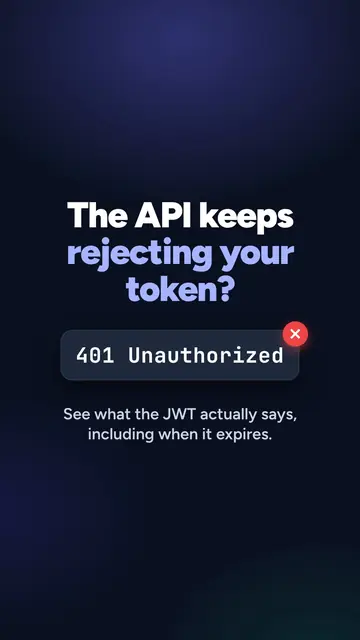
- A request returns 401 and you need to check whether the token has expired or isn't valid yet (
nbfin the future, often caused by clock skew between servers). - An API rejects a token issued for a different client. Compare
audandisswith what the API expects. - Roles or scopes look wrong in your app. Check the actual
scope,roleorrolesvalues the identity provider put into the token. Arrays and nested objects are shown as JSON, not[object Object]. - You are setting up a new OIDC or OAuth provider and want to confirm the header uses the algorithm your backend accepts (
RS256vsHS256), or check that it doesn't saynone. - You want to copy the claims into a ticket or a test fixture. Copy the payload and tidy it further in the JSON Formatter if needed.
If you need to convert a single timestamp outside a token, for example a value from a database row, the Timestamp Converter handles that directly.
What this JWT parser does not do
It does not check the signature. A token edited by hand decodes just as cleanly as a real one, and an unsigned token with alg: none and an empty signature is decoded too. Use the decoded output to inspect a token, never to trust it. Signature checks belong on the server, following the verification practices in RFC 8725, which also covers rejecting alg: none.
Other limits worth knowing:
- Only the first two segments are read. An encrypted token (JWE, five segments) shows "Invalid JWT — could not decode.", because its second segment is an encrypted key, not JSON claims.
- The token must be one continuous string. Remove surrounding quotes and line breaks added by log wrapping.
- Time claims are only resolved when they are numbers. A string such as
"exp": "soon"is shown as-is, and the badge ignores it. - If you only need to decode one base64url segment, or text that isn't a JWT, use the Base64 Encoder / Decoder.