How to URL encode or decode a value
- Paste your text or encoded string into Text or encoded URL value.
- Under Direction, pick "Encode" to turn characters into
%XXescapes, or "Decode" to turn escapes back into readable text. The tool does not guess the direction from the input. It uses whichever option is selected. - Under What are you converting?, choose "URL component" for a single value (a search term, a path segment, a parameter value) or "Full URL" for a complete address. "Query value" gives the same result as "URL component". It does not turn spaces into
+. - The result updates as you type or switch options. Convert runs the conversion again by hand.
- Check the counters (input bytes, output bytes, encoded fragments), then press Copy result.
In Full URL mode the result panel also splits the address into Host, Path, Query and Fragment, so you can see which part each escape belongs to. The split only appears for complete addresses that start with a scheme such as https://. For example.com/a it stays hidden.
Percent encoding examples
Non-ASCII characters are converted to UTF-8 first, and each byte becomes its own %XX escape. That is why é turns into two escapes and an emoji turns into four:
Encode, URL component
café & crème  →  caf%C3%A9%20%26%20cr%C3%A8me
😀            →  %F0%9F%98%80
50% off       →  50%25%20off
The mode you pick decides which characters are kept. Full URL keeps the characters that give a URL its structure (:, /, ?, &, =, #) and only escapes things like spaces and accented letters:
Encode, Full URL
https://example.com/search?q=café menu#top
→ https://example.com/search?q=caf%C3%A9%20menu#top
URL component escapes those same separators. Use it when the whole input is one value, for example a URL you want to pass as a parameter inside another URL:
Encode, URL component
https://example.com/a b?x=1&y=2
→ https%3A%2F%2Fexample.com%2Fa%20b%3Fx%3D1%26y%3D2
Decoding reverses this. With Full URL selected, escapes that stand for reserved characters stay as they are, so the URL keeps its structure:
| Input | Direction / mode | Output |
|---|---|---|
caf%C3%A9 |
Decode / URL component | café |
https://example.com/a%20path?q=caf%C3%A9 |
Decode / Full URL | https://example.com/a path?q=café |
%26%20 |
Decode / Full URL | %26 (the & escape stays) |
Hello%2520World |
Decode / URL component | Hello%20World |
The last row is a double-encoded value: %25 is the escape for % itself. Decode it a second time to get Hello World. Only repeat the decode while the result still looks encoded. A %25 left over after one pass may be a real percent sign: 50%2525%20off decodes to 50%25 off, which is correct if the original text was 50%25 off.
When you need percent encoding
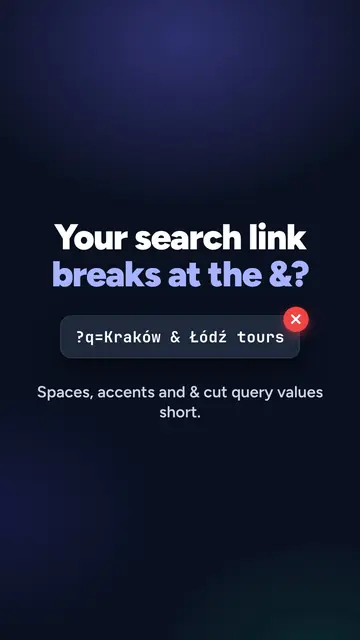
- Building a link by hand: if you put a search term like
shoes & socksin?q=without encoding it, the&splits it into two parameters. Encoding it as a component givesshoes%20%26%20socks. - Redirect and callback parameters: an OAuth
redirect_uri, areturnTovalue or a tracking link that carries another URL has to be encoded as a component. Otherwise the inner?and&get mixed up with the outer query. - Reading logs and analytics: server logs and referrer reports often show paths like
/produkt/kr%C3%B3l. Decoding gives the readable path/produkt/król. - REST path segments: an ID or file name that contains a slash, such as
a/b, would add an extra path level. In URL component mode it becomesa%2Fband stays one segment.
To break a whole query string into separate key/value pairs, use the Query String Parser. For tagged campaign links, the UTM Builder builds and encodes the parameters for you.
Edge cases and limits
- Malformed escapes: a lone
%or an incomplete sequence such as100%or%E0%A4%Acan't be decoded. You get the message "This percent-encoded value is incomplete or invalid." and an empty result. If the%is meant literally, encode the text instead. - Plus signs:
+is treated as a literal plus in both directions and in every mode, including Query value. Encodinga+b cgivesa%2Bb%20c, and decodingJan+Kowalskileaves the+as it is. HTML forms send spaces as+(application/x-www-form-urlencoded), so replace+with a space before you decode form data. - Characters that stay unescaped: letters, digits and
- _ . ! ~ * ' ( )are never encoded, even in URL component mode, soit's (ok)!becomesit's%20(ok)!. Some strict systems want',(and)escaped too. - Input size: the input box accepts up to 1,000,000 characters.
- This is not Base64: if the string is made only of letters, digits,
+and/(or-and_), and often ends in=or==, you probably want the Base64 Encoder / Decoder.
The set of reserved and unreserved characters comes from RFC 3986.