How to encode or decode a Caesar cipher message
- Paste or type your message into Text to shift. You can also load a .txt file with the Load from file button or drop a file onto the box. The output updates as you type, so you don't have to press the Encode / decode button.
- Under Direction, choose Encode to hide a message or Decode to reverse one.
- Move the Shift (0–25) slider to the key you were given. It starts at 13 (ROT13), and the number next to the slider shows the current shift.
- Read the result in the Output box. You can copy it with Copy result or save it as a file with Download result.
- If you don't know the key, look through the All 26 shifts list below the output and click the line that reads as plain language. The slider jumps to that shift.
The Letters shifted counter shows how many A–Z and a–z letters were rotated. Every other character is copied to the output unchanged.
Worked examples
| Input | Direction | Shift | Output |
|---|---|---|---|
Hello, World! |
Encode | 13 | Uryyb, Jbeyq! |
Uryyb, Jbeyq! |
Encode | 13 | Hello, World! |
The quick brown fox |
Encode | 3 | Wkh txlfn eurzq ira |
Wkh txlfn eurzq ira |
Decode | 3 | The quick brown fox |
Attack at dawn |
Encode | 1 | Buubdl bu ebxo |
The first two rows show that with ROT13 you don't need to think about direction: running the same setting again restores the text. For any other key, set the direction to match what the sender did. If they encoded with 3, you decode with 3.
Sometimes a puzzle gives the key as a letter instead of a number. Count from A = 0, so B = 1, D = 3, N = 13 and Z = 25, then set the slider to that number.
Here is how cracking an unknown key with the shift list looks when Direction is set to Decode:
Input: Khoor  (direction: Decode)
 0: Khoor
 1: Jgnnq
 2: Ifmmp
 3: Hello   <- readable, so the key is 3
 ...
25: Lipps
In Decode mode the row number is the key. If Direction is set to Encode, the same readable line shows up as row 23 instead.
Where a Caesar shift or ROT13 is actually used
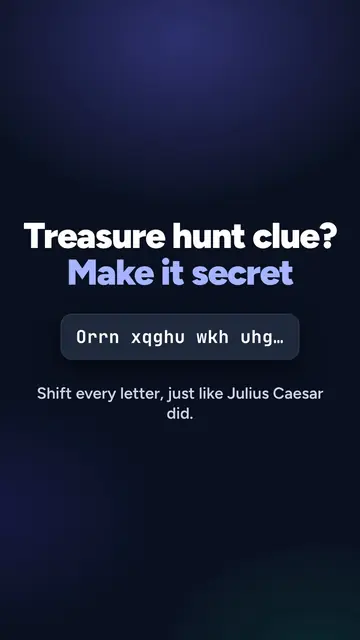
- Puzzle hunts, escape rooms and geocaching: clues are often shifted by a small amount such as 1 or 3, and the key comes as a separate hint. Decode with that key, or scan the shift list if you don't have one.
- Hiding spoilers and punchlines: forums and newsgroups have used ROT13 for decades so that nobody reads an answer by accident. Paste the block in and the plain text appears immediately.
- Teaching cryptography: brute force is easy to demonstrate when every possible key fits on one screen. Students can encode a sentence, swap outputs and break each other's messages with the shift list.
- CTF warm-ups: beginner capture-the-flag tasks often hide a flag behind ROT13 or another rotation. If none of the 26 rows is readable, the text is probably a different encoding. Try Base64 Encoder / Decoder or Binary to text next.
For the cipher's history and how to crack it by letter frequency, see How to Break a Caesar Cipher: Letter Frequencies, Not Guesswork.
What the tool shifts and what it leaves alone
- Only the 26 basic Latin letters are rotated. For example,
Zoë paid 50€ at 9:30with shift 13 becomesMbë cnvq 50€ ng 9:30. The ë, the euro sign and the time stay the same. - To shift accented letters as well, run the text through Remove accents first. The accents are lost permanently, so decoding gives you plain letters back (
Zoe, notZoë). - Uppercase letters stay uppercase, lowercase letters stay lowercase, and Z wraps around to A.
- Shift 0 leaves the input unchanged. The slider stops at 25 because a shift of 26 is the same as 0.
- Keyword ciphers aren't supported. If the ciphertext uses a different shift for each letter (a Vigenère cipher, for example), none of the 26 rows will be readable.
- You can type or paste up to 1,000,000 characters, and Load from file accepts text files up to 2 MB. Everything runs in your browser tab, so very long texts can make the shift list slow to redraw.