How to decode a binary string into text
- Paste your binary into the Binary (8-bit groups) field. To see the expected format, click one of the buttons under "Try an example" (Hi, OK, Yes).
- The result updates as you type. Clicking Decode to text runs the same decode on demand. If the input is wrong, it also puts the cursor back in the field.
- Read the decoded text in the Output box. The "Bytes decoded" counter shows how many 8-bit groups were read.
- Check the Decoded bytes list to see which byte became which character. Bytes that belong to the same multi-byte character are marked with ↳. Invisible characters are written out as "space", "newline", "tab" or "carriage return".
- Click Copy result to copy the text. "Clear" empties both fields.
The tool also works in reverse. If you type in the Output box, the binary field is rebuilt from your text, so you can edit a word and see its bits straight away.
Accepted input formats, with decoded examples
The decoder reads every group as exactly eight bits. All of these inputs decode correctly:
| Binary input | Decoded text | Bytes decoded |
|---|---|---|
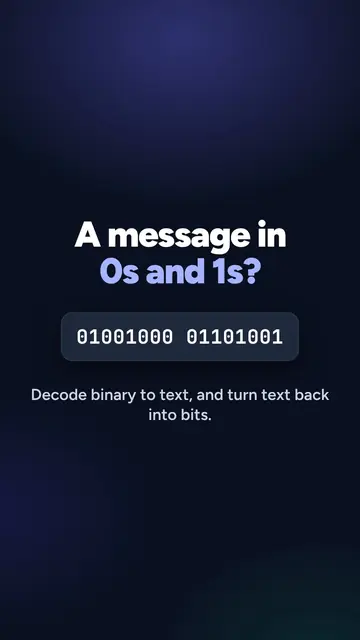
01001000 01101001 |
Hi |
2 |
0100100001101001 |
Hi |
2 |
01001000,01101001;00100001|00001010 |
Hi! followed by a newline |
4 |
01000011 01100001 01100110 11000011 10101001 |
Café |
5 |
11110000 10011111 10010001 10001011 |
👋 |
4 |
You can separate groups with spaces, line breaks, commas, semicolons or pipes, and you can mix them in one input. A single long run of 0s and 1s with no separators is split into 8-bit chunks, as long as its length is a multiple of eight.
The last two rows show why the byte count can be higher than the number of characters. In UTF-8, é takes two bytes (11000011 10101001) and the waving-hand emoji takes four. The text to binary direction produces the same groups, so you can switch back and forth without losing anything.
Why the decoder rejects your binary
Two error messages cover three common situations. Each message appears above the result:
- Groups that aren't 8 bits long: some converters drop leading zeros, so
Hcomes out as1001000(7 bits) and not01001000. Input like1001000 1101001is rejected, and the bad groups are highlighted in the byte list. Add leading zeros until every group has eight digits. Prefixes such as0b01001000are rejected too, so remove the0bfirst. A run with no separators whose length isn't a multiple of eight, such as the 15-digit010010000110100, gets the same message. It is treated as one invalid group and is never padded or guessed at. - Bytes that aren't valid UTF-8: every group can have 8 bits and the sequence can still be broken. For example,
11000011on its own starts a two-byte character that never finishes. This usually happens when only part of a copied string was pasted, or when the bits came from a binary file and not from text.
The decoder only reads UTF-8. It does not handle UTF-16, Latin-1 or other legacy code pages. For plain ASCII text this makes no difference, because ASCII bytes are valid UTF-8 and decode to the same characters.
When a binary to text decoder is useful
- Checking computer science homework: write "Hello" in bits by hand and paste it in. The byte list shows exactly which group is off by one digit.
- Puzzles and CTF hints: strings of 0s and 1s hidden in comments, images or game chats usually turn out to be plain UTF-8 text split into bytes.
- Spotting double-encoded text: if a page shows
éwhereéshould be, pasteéinto the output box. You get four bytes (11000011 10000011 11000010 10101001) whereéshould give two (11000011 10101001). That means the text was encoded as UTF-8 twice. - Preparing examples: type a sentence in the output box, copy the binary it generates, and use it in slides or exercises. If text to bits is all you need, the Text to Binary tool is built for that direction.
Everything runs in your browser. Each field accepts up to 1,000,000 characters. The byte list shows only the first 512 bytes, but longer inputs are still decoded in full in the output box.