How to convert a Unix timestamp to a date
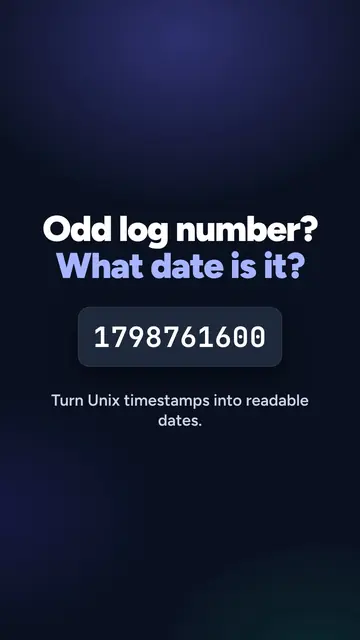
The converter has three input fields that all describe the same moment: Unix seconds, Unix milliseconds, and ISO 8601 date and time. When you fill in one, the other two update.
- Paste your value into the field that matches its unit. A 10-digit value like
1700000000goes in Unix seconds. A 13-digit value like1700000000000goes in Unix milliseconds. - Press Enter or click outside the field to convert. The Convert seconds button also works, but it only reads the seconds field.
- To go from a date to a timestamp, type a date such as
2024-11-15T12:00:00Zinto ISO 8601 date and time and press Enter. Both Unix fields fill in. - Read the results panel. It shows the UTC date and Your local time, which uses your browser's language and time zone.
- Click Copy result to copy all five representations as plain text.
- Click Now to load the current moment, or Clear to empty every field.
Each field always reads its own unit and never guesses. If the date you get is far in the past or future, the value is probably in the wrong field.
Worked examples
The UTC and ISO results below are the same on every machine. Only the local-time line depends on your settings.
| Input | Field | ISO 8601 result | Unix seconds |
|---|---|---|---|
1700000000 |
Unix seconds | 2023-11-14T22:13:20.000Z |
1700000000 |
1700000000123 |
Unix milliseconds | 2023-11-14T22:13:20.123Z |
1700000000 |
2024-11-15T12:00:00Z |
ISO 8601 | 2024-11-15T12:00:00.000Z |
1731672000 |
-1 |
Unix seconds | 1969-12-31T23:59:59.000Z |
-1 |
This is the copied text for 1700000000, with the local line from a browser set to US English in New York:
Unix s: 1700000000
Unix ms: 1700000000000
ISO: 2023-11-14T22:13:20.000Z
UTC: Tue, 14 Nov 2023 22:13:20 GMT
Local: Tuesday, November 14, 2023 at 5:13:20 PM
When milliseconds are converted to seconds, the leftover fraction is dropped. In the second row, the .123 is kept in the ISO string but not in the seconds value.
Time zones in the ISO field
In the ISO field, the result can change without you noticing. It depends on whether the date includes a time zone:
- Date only, such as
2024-11-15: read as midnight UTC, which gives1731628800. - Date and time ending in
Z, such as2024-11-15T12:00:00Z: read as UTC. - Date and time with an offset, such as
2024-11-15T12:00:00+01:00: read in that offset, which gives1731668400(11:00 UTC). - Date and time with no offset, such as
2024-11-15T12:00:00: read in your browser's time zone, so two people in different countries get different Unix values.
For a result that is the same on every device, add Z or an explicit offset. The field accepts the ISO 8601 forms that browsers parse the same way, described in MDN's date time string format. To see one moment as the local time in several cities, use the Timezone Converter.
Where this helps in practice
- Reading logs and databases: a row with
created_at = 1700000000, or atsfield in a JSON log, becomes a readable date. - Checking token expiry: the JWT claims
exp,iatandnbfare Unix seconds. Paste one in to see whether it has passed. The JWT Decoder extracts those claims from a token first. - JavaScript and Java values:
Date.now()andSystem.currentTimeMillis()return milliseconds, so use the milliseconds field for them. - Writing test fixtures: type a readable ISO date, then copy the matching Unix seconds into your test data or API request.
Limits and edge cases
- The Unix fields accept whole numbers only. A decimal like
1.5, or a value with spaces in it, shows the invalid-input message. - Negative values are accepted and mean moments before 1 January 1970.
- Dates must fall between the years −271821 and 275760. This is the range of a JavaScript Date: ±8,640,000,000,000 seconds from the epoch.
- Leap seconds are not counted. As in Unix time, every day is exactly 86,400 seconds long.
- Text that isn't ISO, like
Nov 15 2024, works in some browsers but not others. Use theYYYY-MM-DDform for predictable results.
To measure the time between two dates instead of converting one moment, use Date Difference.