
A recurring meeting, a reminder or a log entry is only as reliable as the way its time was written down. Save a future event as a bare UTC offset, or send an invite without a zone, and it can land an hour early or late for a few weeks a year, or drift after a government changes its clock rules.
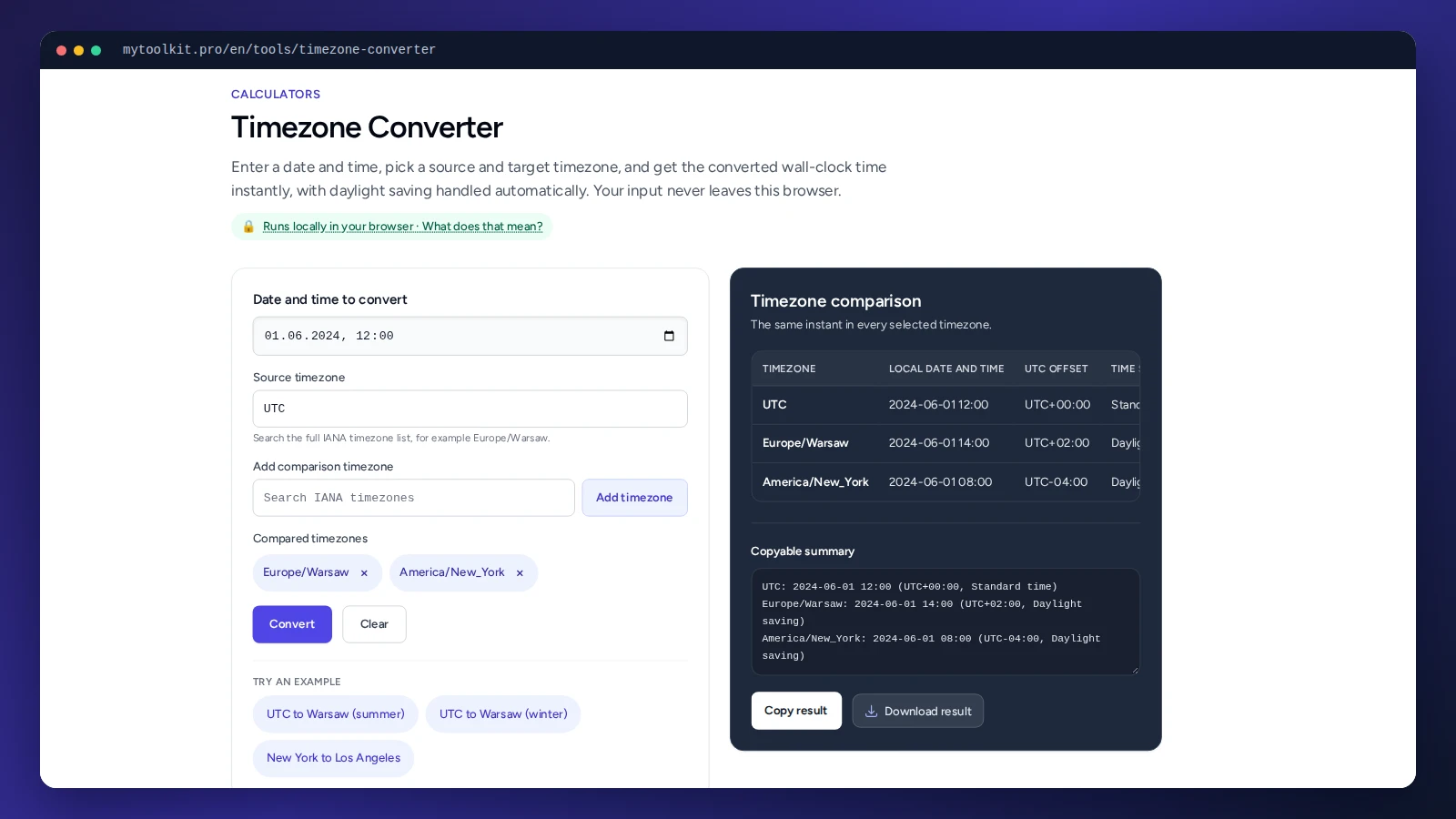
This article explains what gets lost and how to avoid it. To convert a single time, or to see what happens to times skipped or repeated at a clock change, use the Timezone Converter.
An offset is not a time zone
An offset such as UTC+01:00 tells you how far local time is from UTC at one moment. A time zone such as Europe/Warsaw is a set of rules: which offset applies on which dates, including past changes. Warsaw uses one offset in winter and another in summer, so no single offset describes it. The W3C Internationalization group puts it directly: "a zone offset is not the same thing as a time zone".
For something that has already happened, an offset is enough, because the instant is fixed. For a future or recurring event, it is not. Say an app saves a Thursday 10:00 Warsaw meeting as "10:00 at +01:00" in January and then repeats it every week. When summer comes, the stored offset is still +01:00, while Warsaw's own offset has changed, so the meeting appears at the wrong local hour. RFC 9557 gives a similar example for Europe/Paris and says a calculation that uses only the offset "will produce an incorrect result that will be off by one hour".
How a weekly meeting drifts in late March
Countries that change their clocks don't all do it on the same day. The UK moves its clocks forward on the last Sunday in March. The US does it on the second Sunday in March. In 2026 that was 8 March in New York and 29 March in London.
Take a weekly Monday meeting at 16:00, set in Europe/London, with a colleague in America/New_York:
- On Monday 2 March, neither city has changed its clocks yet. London is 5 hours ahead, so New York sees the meeting at 11:00.
- From Monday 9 March, New York is on summer time but London is not. The gap shrinks to 4 hours, and New York sees 12:00.
- On Monday 30 March, London has also moved its clocks forward. The gap is 5 hours again, and New York is back at 11:00.
The calendar did exactly what it was told. The meeting belongs to London, so it stays at 16:00 there and moves for everyone else. The same thing happens in autumn: in 2026 the UK moved its clocks back on 25 October and the US on 1 November, so for that one week the gap was again 4 hours. If the New York attendee has a fixed commitment at 12:00, those weeks are when the clash appears.
The IANA database: the shared rulebook
Zone names such as Europe/London come from the IANA time zone database (tz). IANA describes it as code and data representing "the history of local time for many representative locations", updated periodically "to reflect changes made by political bodies to time zone boundaries, UTC offsets, and daylight-saving rules". The maintainers name zones after cities, not countries, so the names keep working after political changes. Abbreviations are not reliable: the same document notes that CST and IST each have several meanings.
Your phone, laptop, browser, server and programming libraries each carry their own copy of this data. When a government changes its rules, a new tz release is published, but a device only knows about the change once its copy has been updated. Until then, UTC is still correct, but the local time it shows for that zone is wrong. The tz maintainers also warn that future timestamps can turn out wrong if rules change after the timestamp was calculated. This is one more reason to store the zone name instead of a pre-calculated offset: a stored zone can be recalculated with new rules.
How calendar invites carry the zone
Invites sent between calendar apps usually use the iCalendar format, RFC 5545. It allows three forms of date-time:
- Floating time: a local time with no zone at all. It means the same clock time wherever the reader is. That suits "take a pill at 08:00", but not a call between two cities.
- UTC time, marked with a Z suffix: a fixed instant.
- Local time with a TZID parameter that points to a time zone definition. RFC 5545 says a VTIMEZONE component "MUST be specified for each unique 'TZID' parameter value" in the file, so the rules travel with the invite.
Each form fails in its own way when misused. A floating meeting time is read in each attendee's own zone, so people in different cities join at different instants. A recurring meeting created in UTC keeps the same UTC time all year, so its local time shifts by an hour for everyone in a zone that changes clocks, including the organiser. Only the third form keeps "16:00 in London" as 16:00 in London.
Calendar apps expose this choice. Google Calendar lets you pick a time zone next to the event time, and guests see the event in their own local time zone. The same help page also warns that events in past or future years might not reflect daylight saving changes.
A practical rule set for scheduling
- Store things that already happened (log entries, payments, messages) as UTC instants. The W3C recommends using UTC so values from different sources can be compared.
- Store future local events as local date and time plus a zone ID such as Europe/London, not as an offset.
- Create invites in the organiser's city zone, not in "UTC+1" or "CET".
- In plain-text messages, name the city: "Mondays 16:00 London time". You can add the UTC time of the first meeting as a cross-check, but don't present it as the rule for every week.
- When the two sides change clocks on different dates, confirm the meeting in the weeks around March and late October. Checking one date in the Timezone Converter shows the real gap for that week.
- Keep operating systems, browsers and server time zone packages updated, so they have current tz data.
A short note on timestamp formats
RFC 3339 timestamps carry an offset or Z, as in 2026-03-09T16:00:00Z. That identifies one instant and is ideal for logs and APIs. RFC 9557 adds an optional zone suffix in square brackets, for example 1996-12-19T16:39:57-08:00[America/Los_Angeles], so software also knows which rules to apply for future date calculations. If you work with Unix timestamps, the Timestamp Converter turns them into readable dates. To count the days until a meeting, use Date Difference.
FAQ
Why did a calendar invite show the wrong time after the clocks changed?
Usually the event was stored as UTC, as floating time, or with a fixed offset instead of a city zone. Or the organiser's zone changed clocks on a different date from yours. Open the event and check which time zone it was created in.
Is it safer to send meeting times in UTC?
For a one-off event, a UTC time is clear. For a recurring meeting, it fixes the instant instead of the local hour, so the meeting moves by an hour twice a year in zones that change clocks. Send the city zone, and add UTC only as a cross-check.
Why does a device show the wrong time after a country changed its time zone rules?
The device converts UTC to local time using its own copy of the IANA tz data. Until that copy is updated through an operating system, browser or library update, it applies the old rules for that zone.