
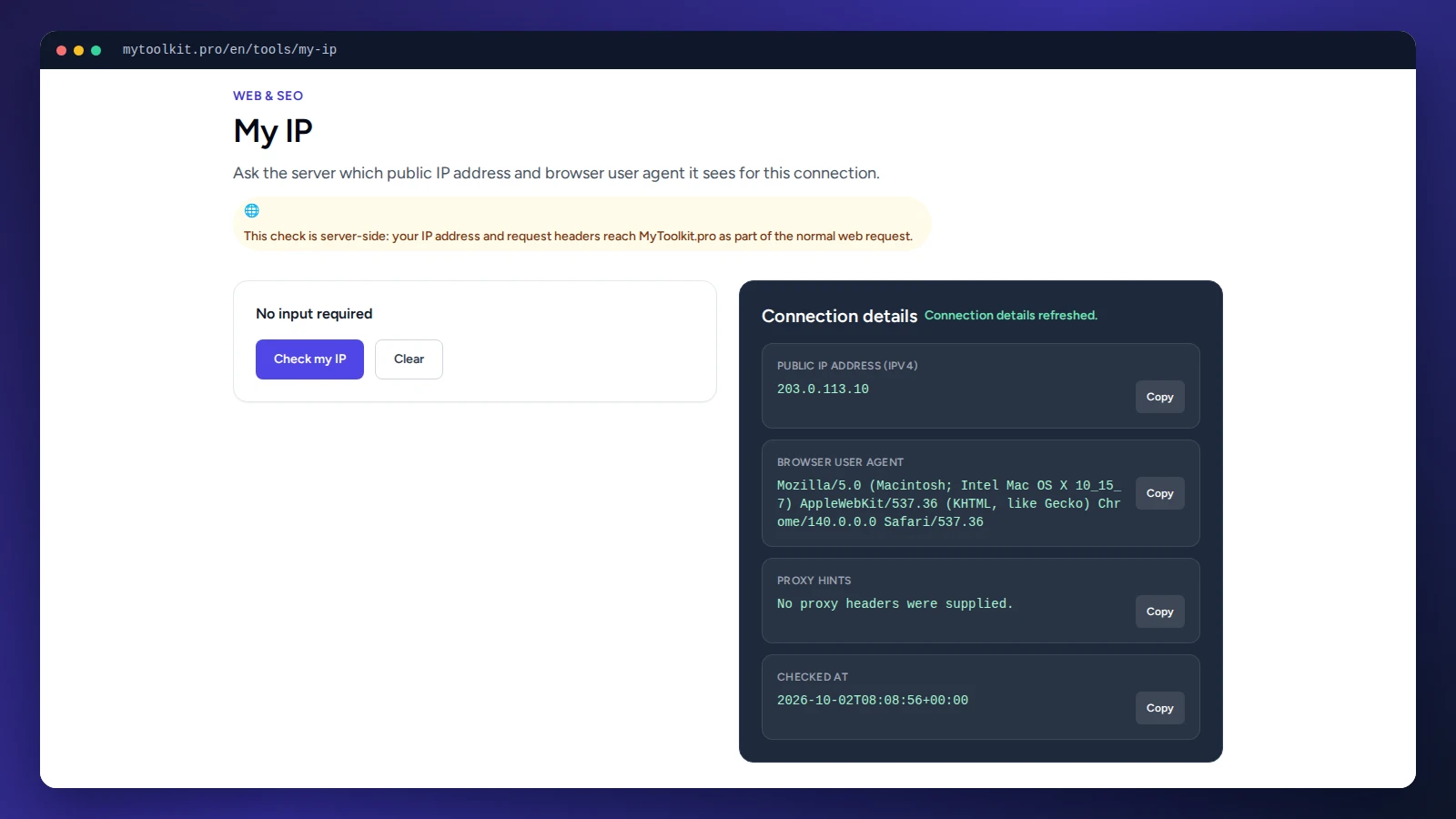
Run ipconfig on Windows or ip addr on Linux and you will usually see an address such as 192.168.1.23. A server on the internet reports something completely different. Neither one is wrong. They describe two different points on the path between your device and the server, and most of the gap comes from network address translation (NAT).
To see the address a server actually receives, open My IP. Its page explains each result and its limits. This article explains why that address is not the one in your settings.
Private addresses never leave your network
RFC 1918 sets aside three IPv4 blocks for private networks:
| Block | Range |
|---|---|
| 10.0.0.0/8 | 10.0.0.0 – 10.255.255.255 |
| 172.16.0.0/12 | 172.16.0.0 – 172.31.255.255 |
| 192.168.0.0/16 | 192.168.0.0 – 192.168.255.255 |
Anyone can use these blocks without asking a registry, which is why so many home networks use the same 192.168.x.x addresses. The price is that they are not unique. RFC 1918 says routing information about private networks should not be propagated beyond the network that uses them, and packets with private source or destination addresses should not be forwarded between networks. The IANA special-purpose address registry marks all three blocks as not globally reachable.
So a server cannot send a reply to 192.168.1.23. Outside your home, that address means nothing. Something has to swap it for a public address on the way out.
How your home router shares one public address
A typical home router does network address port translation (NAPT), described in RFC 3022. For each outgoing connection it replaces the private source address and port with its own public address and a port it picks. It remembers that mapping and reverses it when the reply comes back.
Here is a worked example. A laptop at 192.168.1.23 and a phone at 192.168.1.40 sit behind a router whose public IPv4 address is 203.0.113.7 (a documentation address from RFC 5737; the port numbers are illustrative too):
| Device | Sends from | Router rewrites to | Server sees |
|---|---|---|---|
| Laptop | 192.168.1.23:51000 | 203.0.113.7:40001 | 203.0.113.7 |
| Phone | 192.168.1.40:51000 | 203.0.113.7:40002 | 203.0.113.7 |
The server sees two connections from 203.0.113.7 on different ports. It never sees 192.168.1.23 or 192.168.1.40. That is why every device in the household reports the same public IPv4 address while ipconfig on each one shows a different private address. The public side is shown on the router's WAN or internet status page (the exact name varies by vendor).
Carrier-grade NAT: a second translation at your provider
Some providers, especially mobile networks, do not give each customer a public IPv4 address. Instead they run a second NAT inside their own network, known as carrier-grade NAT (CGN). RFC 6598 reserves 100.64.0.0/10 as "Shared Address Space" for this purpose. Your router gets an address from that block, and the provider's CGN translates it again into a public address. The block is separate from the RFC 1918 ranges so that it cannot collide with the private addresses customers already use at home.
With CGN, a packet is translated twice: 192.168.1.23 becomes something like 100.64.12.34 at your router, and that becomes a public address at the provider. That public address is shared by many unrelated customers at the same time, told apart only by port. RFC 6269 describes the side effects: servers see many people behind one address, and blocking or rate-limiting that address can affect customers who did nothing wrong.
On a phone using mobile data there is often no home router at all. The address in the phone's settings comes from the carrier's network and may be a shared or private address, not the one websites see.
IPv6: one global address per device, and why it changes
IPv6 has enough addresses for every device to get a globally routable one, so NAT is usually unnecessary. RFC 4864 explains how IPv6 networks can get the protections people expect from NAT without using it. As a result, an IPv6 address listed in ipconfig can match exactly what a server reports.
You may see several IPv6 addresses. Addresses starting with fe80 are link-local and only work on the local link (RFC 4291). A fixed global address would let sites recognise the same device over time, so many systems also create temporary addresses, defined in RFC 8981. These change periodically and are preferred for outgoing connections, so a server will often see one of the temporary addresses rather than the stable one.
When both protocols work, your device often picks IPv6: the default address selection rules in RFC 6724 generally prefer it, and Happy Eyeballs falls back to IPv4 only when IPv6 is slow or fails. So a website may report an IPv6 address while your router page shows IPv4. Those are two different protocols, not a contradiction. DNS Lookup shows whether a domain publishes AAAA records, meaning whether it can be reached over IPv6 at all.
Comparing your settings with the public address
- On the device, run
ipconfigon Windows (Microsoft documentation) orip addron Linux (ip-address(8)). Note the IPv4 address and any IPv6 address that does not start with fe80. - Open the router's WAN or internet status page and note its IPv4 address.
- Open My IP and check whether the Public IP address card is marked IPv4 or IPv6.
What the combinations mean:
| What you see | Likely reason |
|---|---|
| Device is private, router WAN matches the public address | Ordinary home NAT |
| Router WAN is in 100.64.0.0/10 | Carrier-grade NAT at your provider |
| Router WAN is in an RFC 1918 range | Another router or NAT upstream (double NAT) |
| Router WAN is public but differs from the public address | Traffic leaves through a VPN or proxy, or the address changed since you looked |
| Public address is IPv6 and matches one on the device | Connection used IPv6, with no NAT; compare IPv4 separately |
A note on proxy headers
Proxies and CDNs can record the original client address in headers such as X-Forwarded-For or the standard Forwarded header from RFC 7239. These values are only as trustworthy as whoever wrote them. A client can send its own X-Forwarded-For with any address in it (MDN), so only entries added by proxies you trust count as evidence.
FAQ
Why does my router's WAN address differ from the address websites report?
If the WAN address is in 100.64.0.0/10 or in a private range, your router sits behind another NAT. Usually that is your provider's carrier-grade NAT, sometimes a second router or modem in your home. If the WAN address is public but still different, check whether a VPN or proxy is active, or whether the connection reconnected and got a new address.
Is a 100.64.x.x address private?
Not in the RFC 1918 sense. RFC 6598 defines 100.64.0.0/10 as Shared Address Space for provider networks and keeps it separate from the private blocks. Like them, it is not globally reachable, so websites never see it as your address.
Why does port forwarding not work behind carrier-grade NAT?
Port forwarding on your router only opens a port on its 100.64.x.x address. Inbound connections from the internet arrive at the provider's CGN first, and it has no mapping for them, so they are dropped. RFC 6269 lists this loss of incoming connections as a known problem of address sharing. Possible ways around it are asking your provider whether a public IPv4 address is available, using IPv6 if both ends support it, or using the Port Control Protocol where the provider's CGN supports it.