Web & SEO
DNS Lookup
Enter a domain to look up its public DNS records (A, AAAA, MX, TXT, NS and CNAME) from our server.
🌐 The lookup runs on the MyToolkit.pro server and queries public DNS; the domain you enter is sent to our server.
Try an example
DNS lookup
Choose record types and check a public domain.
Availability
DNS records are public data. Results reflect what our resolver sees and may be cached or differ from your local resolver.
 0:24
Video · 0:24
See how it works
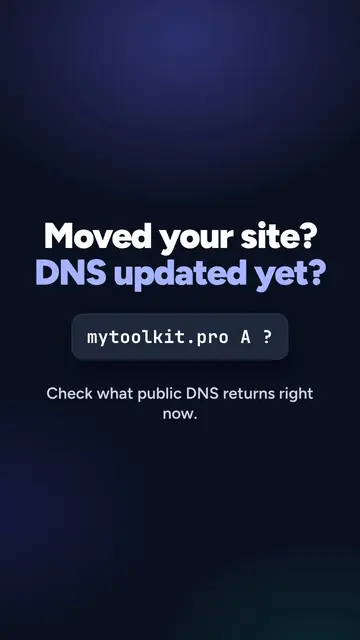
Check what public DNS returns right now.
- 0:03 Look up live DNS records
- 0:05 Enter your domain
- 0:08 Pick a record type
- 0:10 Run the lookup
- 0:12 Current A records and TTL
- 0:15 Add TXT to the check
- 0:18 TTL = seconds left in cache
Articles about this tool
- Deep dive How Servers Decide Your IP: Socket Peer, X-Forwarded-For, Forwarded A server observes one address, the TCP peer, and is handed others in headers. How X-Forwarded-For, Forwarded and trusted-proxy settings decide which IP counts as yours. 19 min read
- Guide Why ipconfig Shows a Different IP: Private Addresses, NAT and CGNAT Your device settings show one IP address and websites see another. Here is how private ranges, home-router NAT, carrier-grade NAT and IPv6 explain the gap, and how to tell which one applies to you. 8 min read
Similar tools
All in Web & SEO
OG / Social Preview
Validate a URL before previewing its Open Graph and social-card metadata.
Web & SEO Checked online

My IP
Check the public IP address and user agent seen by the MyToolkit.pro server.
Web & SEO Checked online

UTM Builder
Build tagged campaign URLs with utm_source, utm_medium, utm_campaign, utm_term and utm_content. Values are encoded correctly and nothing is uploaded.
Web & SEO In your browser

JSON Formatter
Format, validate and beautify JSON data privately in your browser.
Code & Data In your browser

QR Code Generator
Generate a QR code from text or a URL, entirely in your browser. No upload, no external library, no tracking. Download as PNG.
Code & Data In your browser