How to check an IBAN before you pay
- Paste or type the account number into the IBAN field. Spaces, dashes and lowercase letters are fine. As you type, the field converts the text to uppercase, drops anything that is not a letter or digit and regroups the number into blocks of four.
- Look at the two badges under the field. The first shows the country code, taken from the first two letters. The second compares the current length with the length that country requires, for example
21/22. If the country is not recognised, the second badge shows the current length with a dash, for example22/—. The badges update as you type, so if someone reads a number to you over the phone, you can tell whether the count is right before you hang up. - Read the result panel. It has three rows, Format, Length and Checksum, and each one shows Pass, Fail or Pending. The check runs again on every keystroke, and pressing Validate IBAN repeats it for whatever is in the field.
- If all three rows pass, the panel shows Valid IBAN. Copy normalized IBAN then copies the number in compact form, with no spaces.
- To see a known-good result, use the British IBAN or Polish IBAN example buttons.
- Clear empties the field so you can enter the next number.
When a number fails, the message below the field names the first problem found, so you can fix one thing at a time. If the country code is unknown, the Length row shows Fail and the checksum stays Pending. If the length is wrong, the checksum also stays Pending until the character count matches.
Examples: what each error looks like
| Input | What you see |
|---|---|
gb29 nwbk 6016 1331 9268 19 |
Valid IBAN, badges GB and 22/22, all three rows Pass |
DE89-3704-0044-0532-0130-00 |
Valid IBAN (dashes are stripped), badges DE and 22/22 |
GB29NWBK60161331926891 (last two digits swapped) |
Checksum Fail: "Invalid: checksum fails (mod 97 = 5, expected 1)." |
PL6110901014000007121981287 (one digit missing) |
Length Fail, badge 27/28: "Invalid: expected 28 characters for PL, got 27." |
XX29NWBK60161331926819 |
Length Fail, badge 22/—: "Invalid: unknown country code "XX"." |
GBAANWBK60161331926819 (letters where check digits belong) |
Format Fail: "Invalid: IBAN contains invalid characters." |
The swapped-digits row is the mistake the checksum was designed to catch. Every character is present, the length is right and the country exists, but the remainder after dividing by 97 is 5 instead of 1.
When an IBAN checker saves you a failed transfer
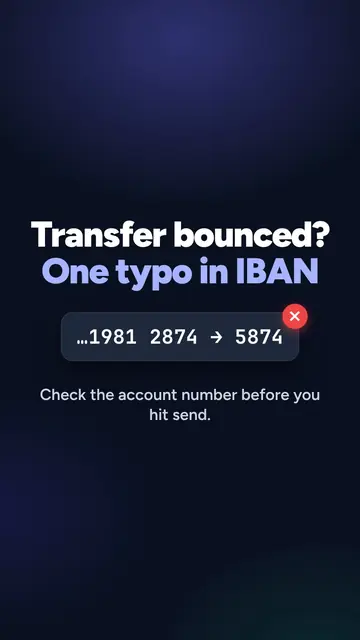
- Adding a new payee in online banking: a number copied from an email or a PDF invoice can lose a character or pick up a stray letter. Checking it first saves you from waiting for the bank to bounce the transfer.
- Cleaning a supplier list before a bulk payment file: paste the numbers one at a time. A length error usually means a digit was cut off during a spreadsheet export, often a leading zero.
- Checking a Polish account number: a Polish IBAN is
PLfollowed by the 26-digit domestic number (NRB), whose first two digits are the check digits. That makes 28 characters in total. If you only have the 26 digits, use the NRB / Bank Account Validator. It checks the 26-digit format and checksum and shows the bank and branch identifiers in the number.
If an IBAN fails and the message doesn't make the cause clear, Why an IBAN Fails Validation and What Each Error Points To goes through each error in detail.
What a passing result does not tell you
A pass means the number is well formed. It has a known country code and two check digits, contains only letters and digits, has the right total length for its country and leaves a mod-97 remainder of 1. The tool doesn't contact any bank, so it can't tell you whether the account is open, who holds it or whether the bank code inside it belongs to a real branch. Fraudsters can generate valid IBANs too, so confirm the recipient's name with your bank's payee-check service before you send money.
Other limits that come from how the tool works:
- Input is cut off at 34 characters, the longest IBAN the standard allows. Anything after that is dropped.
- The length check uses a fixed list of country codes. A code that isn't on the list gets the unknown-country error, even if the number itself is correct. For example, Russian (RU) and Vatican (VA) IBANs are not on the list.
- Only the overall pattern is checked: two letters, two digits, then letters or digits. The tool doesn't check each country's internal layout, such as positions where the bank code must be all digits.
- Everything runs in your browser. The number isn't sent anywhere, so you can check a sensitive account number without it leaving your device.