
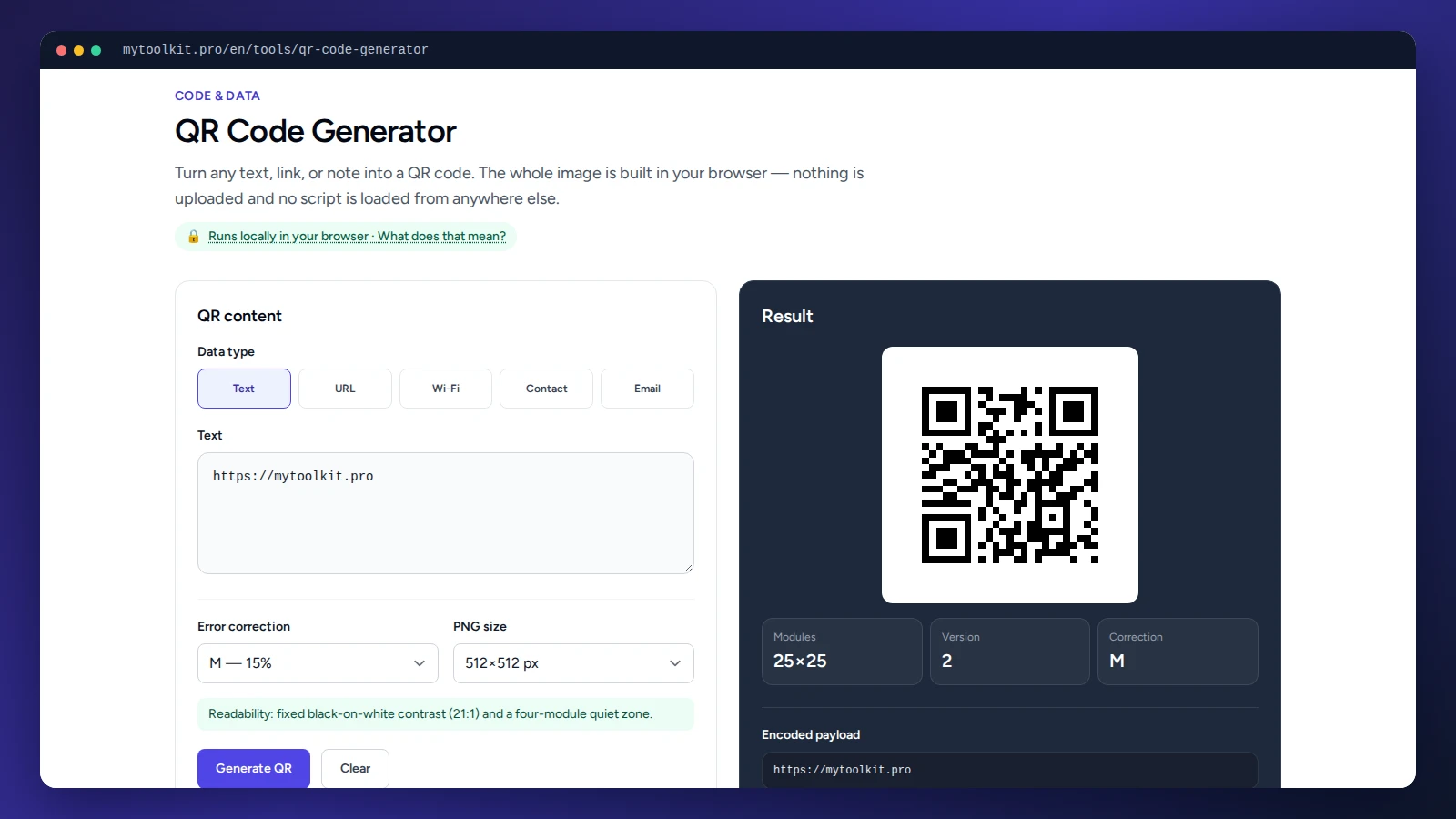
In the smallest QR code, only 128 of the 441 squares are set aside for the encoded message at the default correction level. The rest goes on finder and timing patterns, a fixed dark module, two copies of the code's own settings, and check bytes. That split explains three everyday observations. A coffee ring rarely stops a scan. A thumb over one corner square often does. And adding a single emoji can make the whole grid bigger.
The squares are called modules, and every part of the symbol is paid for in them. The sections below follow where they go.
Smudges the scanner can repair
The repair method comes from a 1960 paper by Irving S. Reed and Gustave Solomon, Polynomial Codes over Certain Finite Fields (Journal of the SIAM, 8(2), pp. 300–304). Without the equations, the idea is this. Treat the message as the coefficients of a polynomial, and append check symbols chosen so that the whole block satisfies a known algebraic property. When some symbols are damaged, the property breaks in a way that can be solved for.
The rule of thumb: with 2t check codewords, a decoder can repair t damaged codewords whose positions it does not know. Errors cost double because the decoder must find both where they are and what the correct value is. In theory it can do better, up to 2t erasures, if it already knows which codewords are damaged. That is a ceiling, not a typical result: it applies only when the decoder marks unreadable areas as erasures, and many phone scanners treat every damaged codeword as an unknown error.
The smallest symbols keep a few check codewords back to detect wrong corrections, so the real figure there is slightly lower. In version 1 at level M, for example, there are 10 check codewords. The standard reserves 2 of them for this protection, so the decoder can fix up to 4 codewords whose positions it does not know (ISO/IEC 18004).
QR codes do this arithmetic in GF(256), a finite field with 256 elements built from the primitive polynomial x⁸ + x⁴ + x³ + x² + 1 (0x11D). One field element is exactly one byte, so the unit of damage is a codeword of 8 modules. A codeword usually sits in a block two modules wide and four tall, and bends into irregular shapes where it meets the fixed patterns. A coffee ring that grazes one module in each of three codewords therefore costs three corrections. A blot that wipes out one whole codeword costs only one.
A scratch spread across blocks
Larger versions add one more defence. The data is split into several blocks, each with its own check codewords, and the codewords of all blocks are interleaved before placement: first codeword of block 1, first of block 2, and so on. A scratch across part of the grid is therefore spread thinly over many blocks instead of overwhelming one.
Corners, rulers and margins the scanner must see
Reed–Solomon protects codewords only. Around them sits a fixed scaffold that every generator lays down before any content goes in. If this part is destroyed, the scanner may never locate the grid, and the check codewords cannot help.
- Finder patterns. The three large squares in the corners. A line through the centre of any of them, in any direction, crosses dark and light areas in the ratio 1:1:3:1:1.
- Separators. A one-module light strip along the inner sides of each finder, separating it from the data area.
- Timing patterns. A row and a column of alternating modules between the finders. They work like a ruler, letting the scanner count the grid even when the image is slightly stretched.
- Alignment patterns. From version 2 upward, smaller square targets that help correct for perspective and distortion. None is ever placed on the three finder corners.
- Format information. 15 bits that record the error-correction level and the mask number, written twice: once around the top-left finder and once split between the other two.
- Version information. From version 7 upward, an extra 18-bit block stating the version, also written twice.
- The dark module. A single module near the bottom-left finder that is always dark.
Counting what is left in version 1
In the smallest symbol, version 1, the cost is easy to count. The grid is 21 × 21 = 441 modules. Three finders with their separators take 3 × 8 × 8 = 192 modules, the two timing lines add 10, and the two copies of the format information plus the dark module add 31. That leaves 441 − 192 − 10 − 31 = 208 modules, or 26 codewords of 8 bits each.
Of those 26 codewords, 7 are check codewords at the lowest error-correction level, L, and 17 at the highest, H. That leaves 19 codewords for your data at L, 16 at M, 13 at Q and just 9 at H (Thonky error-correction table). Even those data codewords are not all text: the mode indicator, the length field and any padding come out of the same budget, as the next sections show.
Keep the white border when you crop
Around the scaffold sits the quiet zone, a blank margin 4 modules wide. It is part of the symbol, because the scanner needs light space to see where the finder patterns end. The PNG and SVG files from the tool always include it. If you crop it off to save space in a layout, a printed code can fail to scan.
The corner squares came from a box survey
The scaffold was designed for the factory floor. The QR code was developed in 1994 at Denso Wave, then a division of DENSO Corporation, by a two-person team led by Masahiro Hara (Denso Wave history). One-dimensional barcodes held too little, and the team wanted a code that could store much more, including kanji and kana, and still be read fast. Denso Wave says QR stands for Quick Response. To pick the finder shape, the team surveyed fliers, magazines and cardboard boxes for the pattern least likely to appear on business forms, which became the 1:1:3:1:1 ratio. An early adopter was the auto industry, for electronic kanban labels that follow parts through production.
Denso Wave lists AIM approval in 1997, Japanese Industrial Standard approval in 1999 and ISO approval in 2000, and the Wikipedia article gives the same sequence. The ISO standard has been revised several times since. Denso Wave holds patents on the code but states on the same history page that it does not exercise them, which is why anyone can build a generator. The codes on posters, tickets and menus are the standard QR Code (Model 2). Denso Wave also lists relatives such as Micro QR Code, iQR Code, SQRC (a reading-restricted type) and Frame QR.
Adding a few characters and watching the version jump
When the data no longer fits, the generator moves to the next version. The grid grows by four modules per version, so the side length is 4 × version + 17 (Denso Wave, versions):
| Version | Modules |
|---|---|
| 1 | 21 × 21 |
| 2 | 25 × 25 |
| 3 | 29 × 29 |
| 10 | 57 × 57 |
| 40 | 177 × 177 |
You can watch these numbers move. Type something into the QR code generator, and it reports the Version and the module count of whatever you encode.
How fast you reach the next version depends on how the content is packed. The standard defines four main ways to do this, called modes, and each character costs a different number of bits in each. Numeric mode packs three digits into 10 bits. Alphanumeric mode covers a 45-character set of capitals, digits and a few symbols. Byte mode stores raw 8-bit bytes. Kanji mode stores Japanese characters in 13 bits each. At the largest size and the lowest correction level, the maxima are (Thonky capacity table, Denso Wave):
| Mode | Version 40, level L |
|---|---|
| Numeric | 7089 digits |
| Alphanumeric | 4296 characters |
| Byte | 2953 bytes |
| Kanji | 1817 characters |
The generator on this site always uses byte mode. The bit stream starts with the mode indicator 0100. Next comes a character count, 8 bits long for versions 1–9 and 16 bits for versions 10–40. Then comes the text, converted to UTF-8 bytes with the browser's TextEncoder. One path handles every kind of content, from Wi-Fi records to contact cards. The trade-off shows with digits-only content: a long number costs 8 bits per digit instead of about 3.3 in numeric mode, so it can need a larger version than strictly necessary. Project Nayuki's library takes the other route. Its Java version computes optimal switching between modes for mixed text.
Because byte mode counts bytes, the character count you see is not what matters. In UTF-8 a plain ASCII letter takes 1 byte, Polish letters such as ą or ł take 2, and most emoji take 4. Version 1 at level M has 16 data codewords, or 128 bits. The text Hello, world! is 13 bytes and needs 4 + 8 + 13 × 8 = 116 bits, so it fits. Add a space and a smiley emoji, and the text becomes 18 bytes and 156 bits. That is too many for version 1, so two characters turn a 21 × 21 grid into a 25 × 25 one at version 2. If two counters ever disagreed with you about the length of the same text, the article on characters, bytes, words and lines explains why.
Non-ASCII text has one more subtlety. The specification's default interpretation for byte mode is ISO-8859-1, not UTF-8 (ISO/IEC 18004; the encoding section of the Wikipedia article says the same). A generator can signal UTF-8 formally with an ECI (Extended Channel Interpretation) header, and this tool does not write one. Some readers detect UTF-8 anyway, but this varies between scanner apps. Test a code containing accented letters or emoji on the phones your audience uses. If you cannot test, keeping the content ASCII avoids the question. In the path or query of a URL, for example, non-ASCII characters can be percent-encoded.
Padding that fills an almost empty code
After the data, the generator adds a terminator of up to four zero bits and pads to a whole byte. It then fills every remaining data codeword with two alternating pad bytes:
11101100 00010001 11101100 00010001 … (0xEC 0x11 0xEC 0x11 …)
A single letter at version 1, level M uses 20 bits. With the terminator that rounds to 3 bytes, and the other 13 data codewords are pad bytes. They get error correction like everything else, so the grid looks just as full.
Choosing L, M, Q or H for a small print
The four levels trade capacity for robustness. The percentages are the approximate share of codewords that can be restored, not a share of the printed area. The capacities are for byte mode at version 40 (Thonky, Denso Wave):
| Level | Restorable codewords (approx.) | Version 40 byte capacity |
|---|---|---|
| L | 7% | 2953 bytes |
| M | 15% | 2331 bytes |
| Q | 25% | 1663 bytes |
| H | 30% | 1273 bytes |
For the same content, a higher level often needs a larger version. Hello, world! fits version 1 at L or M but needs version 2 at Q or H. At a fixed print size, a larger version means smaller modules, which are harder for a camera to resolve. A stronger level can therefore make a small code harder to scan, not easier. The tool's Error correction setting is applied exactly as chosen. Nayuki's library can optionally raise the level whenever that does not increase the version.
When content will not fit even at version 40, the tool's message suggests shortening it or lowering the correction level. Both suggestions follow from the table above.
Two generators, same text, different patterns
With data and check codewords ready, the generator places them in two-module-wide columns that zig-zag up and down from the bottom-right corner, flowing around the fixed patterns. Raw data placed like this can produce awkward pictures: large blank areas, long stripes, or shapes that resemble a finder and confuse the scanner. So the generator flips data modules according to one of eight fixed mask patterns (for example, every module whose row plus column is even). It scores the eight results and keeps the cleanest. The fixed patterns are never masked.
The score uses four penalty rules from the standard (Thonky, data masking):
| Rule | What is penalised | Penalty |
|---|---|---|
| N1 | A run of 5 same-colour modules in a row or column | 3, plus 1 for each module beyond 5 |
| N2 | Each 2×2 block of one colour | 3 |
| N3 | Each finder-like 1:1:3:1:1 sequence with light space beside it | 40 |
| N4 | Imbalance between dark and light | 10 for each 5% step away from 50% dark |
The lowest total wins. This tool tries all eight and keeps the first one on a tie, so the same input always produces exactly the same matrix.
The chosen level and mask then go into the format information. A fixed XOR step keeps the format area from ever being blank. Five bits (two for the level, three for the mask) are extended with ten BCH check bits using the generator 0x537, and the 15-bit result is XORed with the fixed pattern 101010000010010 (0x5412). Level M with mask 0 shows why this matters, because its data and BCH bits are all zero:
level M + mask 0:  00 000 0000000000
XOR 0x5412:        101010000010010
written to grid:   101010000010010
This is the answer to a common puzzle. Another generator may choose a different mode, a different level (and therefore version), or a different mask, and any one of these changes the picture. Both codes still decode to the same text.
Checking what the phone will do with the bytes
ISO/IEC 18004 describes how to store bytes and recover them, not what a phone should do with them. A phone offers to join a network, save a contact or start an email because of conventions layered on top:
- The
WIFI:record is a convention documented by the ZXing project and widely followed, but it is not part of ISO. - Contact cards use vCard 3.0, defined in RFC 2426.
- Email links use the
mailto:scheme from RFC 6068.
These conventions do not always agree. The browser's URLSearchParams follows the WHATWG form-encoding rules and writes a space as +, while RFC 6068 expects %20 in a mailto: link, so some mail clients may show a literal plus sign. The tool's Encoded payload preview shows the exact string that goes into the symbol, which makes it the place to check details like this. If a code scans but opens the wrong thing, the troubleshooting guide for QR payloads covers the typical causes.
A valid code can still be the wrong code
Error correction repairs damage, but it cannot detect substitution. A sticker with a different code placed over a genuine one is a perfectly valid QR code. In a public service announcement of 18 January 2022, the FBI's Internet Crime Complaint Center warned that criminals tamper with QR codes to send victims to malicious sites (FBI IC3). Its advice is to check the URL after scanning, to look for physical tampering such as a sticker over the original, and to be careful about entering login or payment details on a site reached through a QR code.
Nothing in a standard QR code, including one made with this tool, is encrypted. A Wi-Fi code contains the network password in plain text, and a contact code contains the name, phone number and email address as written.
Commercial dynamic QR codes encode a short link to the provider's server, which redirects to the real destination. That makes the destination editable. It also means the code works only while the service keeps running, and the service receives a request for every scan, so it can log them. A code made with the MyToolkit.pro generator encodes the content itself, with no intermediary. Whatever generator you use, print a test copy at the final size and scan it before distribution. The tool's own note gives the same advice.
Privacy
The generator builds the payload, encodes it and draws the image in your browser with its own encoder. It does not load an external library or make a network request with your content.
The content is visible in the Encoded payload preview and stored in the image itself. Treat the PNG or SVG as being as sensitive as the password or personal details inside it.
FAQ
Is the 30% at level H a share of the printed area?
No. It is the approximate share of codewords that can be restored. Damage to the finder patterns can stop a scan at any level.
Does a higher error-correction level make a small code harder to scan?
It can. A higher level often pushes the content to a larger version, and at the same print size that means smaller modules. For small prints, the lowest level that survives your expected wear may scan more reliably.
Can a QR code still be read if a corner square is damaged?
Sometimes, but not thanks to error correction. Light damage may leave the 1:1:3:1:1 ratio detectable, while heavy damage can make the code unreadable.
Why do accented letters or emoji make my code bigger?
Capacity is counted in UTF-8 bytes, and these characters take 2 to 4 bytes each, so a short addition can push the content to the next version.
Is the content of a QR code hidden in any way?
No. The mask is reversed by every reader, and the content is stored as plain bytes.
Hero image: Body painting - QR code by Exey Panteleev, via Wikimedia Commons, licensed under CC BY 2.0.