
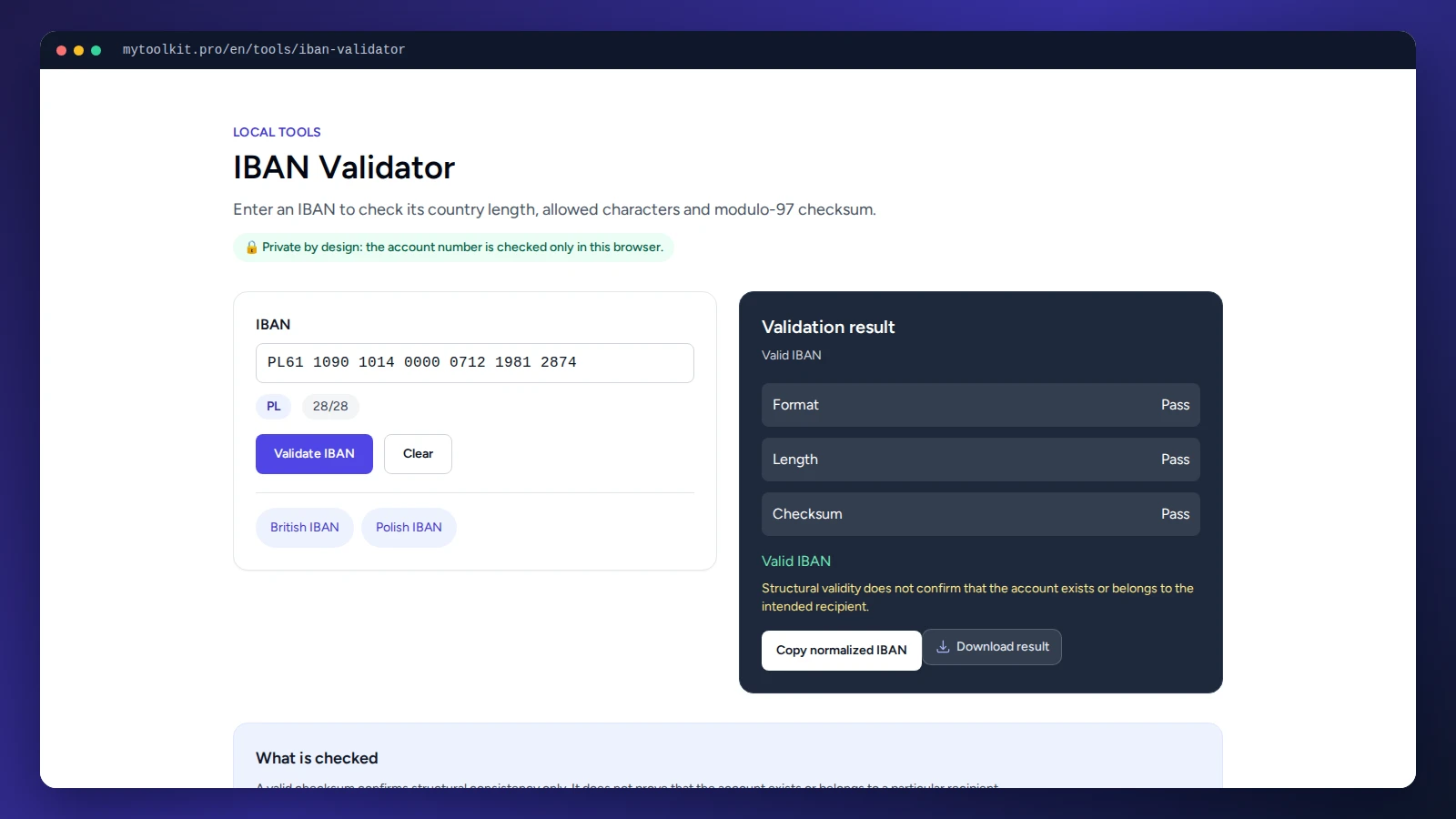
A payment form that rejects an IBAN usually says only "invalid". In a structural check, that one word covers one of four problems: a country code the checker does not know, a malformed start, the wrong number of characters, or a checksum that does not add up. Each one has a different cause and a different fix, and the IBAN validator shows which one you are dealing with.
Start with the red message
Under Validation result the tool shows three rows: Format, Length and Checksum. Each row is marked "Pass", "Fail" or "Pending". The red message under the field is more specific. These are the four messages, exactly as the tool shows them:
| Message shown | Row that fails | Likely cause |
|---|---|---|
Invalid: unknown country code "XX". |
Length (Format may fail too) | The first two characters are not a country in the tool's table. Possible causes: a digit typed in place of a letter, a label pasted in front of the number, or a country the table does not include |
Invalid: IBAN contains invalid characters. |
Format | The country is known, but the next two characters are not both digits, or the string is too short to hold an account part |
Invalid: expected 22 characters for GB, got 8. |
Length | A character is missing or extra: a dropped group of four, text pasted along with the number, or two numbers run together |
Invalid: checksum fails (mod 97 = R, expected 1). |
Checksum | The length is right, but at least one character is wrong, such as a mistyped digit or two neighbouring characters swapped |
The length message in the table is real output: typing only GB29NWBK produces it word for word. In the checksum message, the tool replaces R with the remainder it actually calculated.
Why the checksum says Pending
An IBAN starts with a two-letter country code and two check digits. The national account part, called the BBAN, follows. The whole string has at most 34 characters, and only the first four positions mean the same thing in every country (Deutsche Bundesbank). A German IBAN, for example, has 22 characters: DE, two check digits, an 8-digit bank code and a 10-digit account number.
The tool runs the checks in a fixed order, and each step needs the one before it:
- The country code sets the expected length.
- Format checks the shape: two letters, two digits, then letters or digits.
- Length compares the number of characters with that country's total.
- The checksum is calculated only after format and length are right.
So a Pending checksum means "not reached yet". It does not mean "passed". Fix the length first, and the checksum result will appear.
The checksum follows ISO/IEC 7064 MOD 97-10 (ISO/IEC 7064). Move the first four characters to the end, replace each letter with a number (A=10 through Z=35), and divide the resulting long number by 97. A correct IBAN leaves a remainder of 1. GB29NWBK60161331926819, the tool's British example, passes. Change its last digit to 8 and Format and Length still pass, but Checksum fails. Only the arithmetic catches the change.
Other identifiers use other check-digit systems. The Polish PESEL number is one example, explained in how the PESEL check digit works.
When the length is a few characters off
Spaces and lowercase letters do no harm. The tool converts the input to upper case and regroups it into blocks of four, so "gb29 nwbk 6016 1331 9268 19" is valid. Hyphens, dots and other symbols are removed before the check: "gb29nwbk-6016" becomes GB29 NWBK 6016, so separators on their own never cause an error.
The same cleaning step removes every character outside A–Z and 0–9, and that includes letters from other alphabets. A Cyrillic or Greek letter that looks Latin (some PDFs produce these when copied), or a Polish letter with a diacritic, disappears without any message. If the stray letter was in the account part, the number looks complete, but the length badge next to the field shows it one character short, for example "21/22". If it was in the country code, the remaining characters shift, and you get the unknown-country message instead.
The opposite happens when you copy the IBAN together with whatever followed it on the invoice, such as a reference number. The extra characters are counted, and Length fails with a badge such as "34/22". Very long pastes are shortened, so the counter may show fewer characters than you actually pasted. That never turns into a pass, though. The longest length in the tool's table is 31 (Malta), so a value cut to 34 characters always fails. In both cases, compare the badge with the length you expect.
The letter O and the digit 0, and I and 1, cause a different problem. Letters are allowed in the account part, and the tool checks only the total length per country, not the national layout. A Polish IBAN with an O typed in place of a 0 in the account part therefore passes Format and Length, and will normally fail at the checksum. An O in place of one of the two check digits fails Format instead, with the invalid-characters message.
When the country code is not recognised
The tool's table lists 70 countries, each with a fixed length, for example PL 28, GB 22, DE 22, NO 15 and MT 31. Codes outside the table, such as LY or IQ, get the unknown-country message whatever digits follow.
Country formats are registered with SWIFT, the Registration Authority for ISO 13616. SWIFT publishes them in the IBAN Registry. A national standards body or central bank has to request each entry, so the registry grows over time and covers more countries than the tool's table. An "unknown country code" result for a number from a genuine bank document therefore does not prove the number is wrong. Look the country up in the registry first.
Polish invoices cause a common variant of this problem, because they often print the account number without the PL prefix. The tool's Polish IBAN example is PL61109010140000071219812874, and without "PL" it leaves 26 digits. If you paste only those digits, the tool reads 61 as the country code and shows Invalid: unknown country code "61". Check the 26-digit domestic form with the NRB validator. Then add PL in front and check the result in the IBAN validator.
When every check passes
When all three rows pass, the status reads Valid IBAN, and the tool adds: "Structural validity does not confirm that the account exists or belongs to the intended recipient."
Check digits catch accidental keying and copying errors. They do not protect against an IBAN that someone replaced on purpose. Anyone can calculate correct check digits for any account number, so a tampered invoice or a fake "our bank details have changed" email passes all three checks.
This matters because, within the EU and the EEA, Regulation (EU) No 260/2012 makes the IBAN the account identifier for euro credit transfers and direct debits. A well-formed but wrong IBAN sends the money to someone else's account. If you receive a new or changed IBAN, confirm it with the recipient through a channel you already trust, such as a phone number you already have. Do not confirm it by replying to the message that contained the IBAN.
The check runs in your browser and nothing is sent to a server. Once the IBAN is valid, Copy normalized IBAN puts it on your clipboard without spaces.
FAQ
Why does the checksum stay on Pending while length shows Fail?
The checksum is calculated only once format and length are correct. Remove the missing or extra characters, and the checksum result will appear.
Can a single wrong digit still produce a valid IBAN?
Not when one digit has been replaced by another digit. The number then changes by the difference between the two digits (1 to 9) times a power of ten. 97 is prime and divides neither of those, so the remainder can no longer be 1. Several errors at once can occasionally cancel each other out, so a valid result never proves the number is the one you meant.
Does an 'unknown country code' result mean the IBAN is fake?
No. The cause may be a typo in the first two characters, a label pasted in front of the number, or a country the tool's table does not include. Check the country in the SWIFT IBAN Registry before you decide the number is wrong.
Do I still need a BIC if I have the IBAN for a euro transfer?
For euro credit transfers and direct debits within the EU and the EEA, Article 5(7) of Regulation (EU) No 260/2012 means providers cannot require you to give the BIC. For payments that involve SEPA countries outside the EEA, or countries outside SEPA, your bank may still ask for it, so follow the bank's form.