How to add text to the start and end of each line
- Paste your list into Lines to modify, one item per line. You can also load a .txt or .csv file with Load from file, drop a file on the box, or pick one of the samples under Try an example.
- Type the text that should go before each line into the Prefix field. Leave it empty if you only need a suffix.
- Type the text that should go after each line into the Suffix field. Leave it empty if you only need a prefix.
- If your list has blank lines that should stay blank, tick Skip empty lines.
- The result updates as you type. Check the Lines affected counter, then press Copy result, or save the output as a file with Download result.
Both fields are inserted exactly as you type them, including spaces. To get - item and not -item, type the space after the dash in the prefix.
Examples: quoting, checklists and SQL statements
Quote each item for a code array (prefix ", suffix ",):
apple
banana
cherry
"apple",
"banana",
"cherry",
The last line keeps its trailing comma as well, because the suffix goes on every line. Delete it by hand if your language does not allow trailing commas.
Turn a to-do list into a Markdown task list (prefix - [ ] , no suffix):
- [ ] Buy milk
- [ ] Call the bank
- [ ] Water plants
Build one statement per ID (prefix SELECT * FROM t WHERE id = , suffix ;):
SELECT * FROM t WHERE id = 42;
SELECT * FROM t WHERE id = 17;
SELECT * FROM t WHERE id = 99;
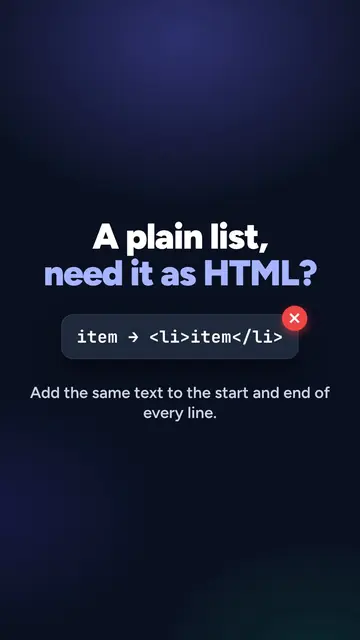
Wrap lines in HTML list items (prefix <li>, suffix </li>). Add the surrounding <ul> and </ul> yourself:
<li>a</li>
<li>b</li>
Where adding a prefix or suffix saves time
- Turning a single column copied from a spreadsheet into quoted values for a SQL
IN (...)clause or a JavaScript or Python array. Copy one column only. Several columns arrive as tab-separated rows, and the prefix and suffix then wrap the whole row, not each cell. - Making full URLs from a list of paths by adding
https://example.com/as the prefix, for example before a bulk redirect or a crawl. - Commenting out a block of config lines by adding
#or//at the start of each one. - Adding a file extension such as
.jpgor.csvto a list of base file names for a rename script. - Turning plain lines into Markdown bullets or blockquotes (
>) before you paste them into a document. - Adding the same label, tag or category column to every row, for example
,pendingas a suffix on CSV lines.
If you want the quoted items on one line, for example "a", "b", "c", add the quotes here and then use Join lines to join the lines with a separator of your choice. For numbered lines, Line Numberer adds sequential numbers, which a fixed prefix cannot do.
Blank lines, spacing and other details
- What counts as a line: every line break in the input starts a new line. Windows (CRLF) and old Mac (CR) line breaks are converted to plain line feeds, so the copied result always uses LF.
- Blank lines: with the checkbox off, an empty line still gets the prefix and suffix, so
*alone on a line is a common surprise. A list copied from a spreadsheet usually ends with a line break, so with quoting the last line comes out as an empty"",. Tick Skip empty lines or delete the final break. With the option on, lines that are empty or hold only spaces or tabs come out unchanged and are not counted. - Existing spaces are kept: the tool does not trim your lines.
xwith brackets as the prefix and suffix becomes[ x ]. To clean up spacing first, run the list through Whitespace Normalizer. - No placeholders, counters or regular expressions; nothing already in your lines is replaced.
- Size: you can paste or type up to 1,000,000 characters. A text file loaded with Load from file or dropped on the box can be up to 2 MB. Everything is processed on your device, so very large lists depend on your browser's speed.