How to convert Celsius to Fahrenheit (and back) on this page
- Type a temperature into Temperature to convert. A plain number such as
20counts as Celsius. - To start from another scale, add its letter after the number:
68F,98.6 For300K. Upper or lower case both work, and so does a degree sign (68 °F). - Read the result. The Celsius, Fahrenheit and Kelvin fields under "All three scales at once" fill in as you type, so you don't have to choose a target unit.
- You can also type straight into one of the three fields. If you put
350in the Fahrenheit field, the Celsius and Kelvin fields update and the text box changes to350F. - Press Copy result to copy all three values at once, one scale per line.
Next to the result, the "Closest to" box shows which of four reference points the temperature is nearest: absolute zero, water freezing, body temperature or water boiling. It gives you a rough sense of how hot or cold the number is.
Worked conversions
All of these were calculated by the converter itself.
| You type | Celsius | Fahrenheit | Kelvin |
|---|---|---|---|
25 |
25 | 77 | 298.15 |
98.6F |
37 | 98.6 | 310.15 |
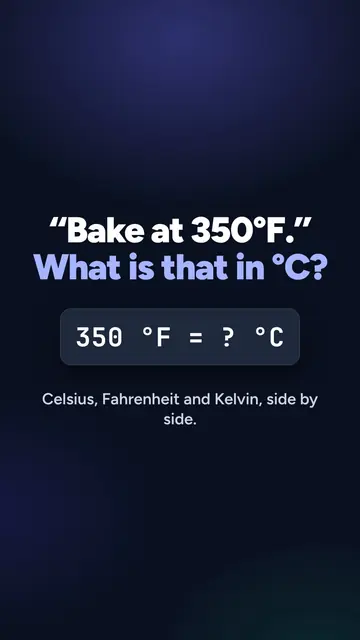
350F |
176.67 | 350 | 449.82 |
-40 |
-40 | -40 | 233.15 |
0K |
-273.15 | -459.67 | 0 |
The copied text for 68F looks like this:
C: 20
F: 68
K: 293.15
−40 is the only temperature that has the same number in Celsius and Fahrenheit. At 0 K (absolute zero) the Fahrenheit reading is −459.67 °F, the lowest temperature physically possible.
Where a quick temperature conversion helps
- Cooking from a US recipe: "bake at 350 °F" is 176.67 °C, so round to 175 or 180 °C on a dial oven.
- Checking a fever reading: a thermometer that shows 99.5 °F is reading 37.5 °C. In the other direction, 36.6 °C is 97.88 °F.
- Weather from another country: −18 °C is −0.4 °F, just below 0 °F, which means a hard-frost forecast.
- Physics and chemistry homework: lab data is often in kelvin. For example,
300Kgives 26.85 °C and 80.33 °F. You can type the kelvin value directly instead of subtracting 273.15 by hand. - Spec sheets and datasheets: operating ranges for electronics and materials are often written in only one scale. You can check both ends of the range in a few seconds.
What the input accepts, and its limits
- One temperature at a time. The box reads a single number with an optional unit letter, so
1 2,12.3.4or a list of values gives "Enter a valid number." rather than a guessed result. - Decimal point or decimal comma:
36.6and36,6are read the same way. Don't use thousands separators:1,000is read as 1 (the comma is taken as a decimal mark), not one thousand. Scientific notation such as1e3isn't accepted either. - Only three scales: Celsius, Fahrenheit and Kelvin. Rankine, Réaumur and other historical scales aren't supported.
- Rounding: for lab work that needs more than two decimals, apply the formula yourself.
- Below absolute zero: a value like
-300still converts (−508 °F, −26.85 K), but the page warns that no such temperature exists. - Temperature differences: the converter treats every number as a temperature reading, not as a change in temperature. A rise of 10 °C is a rise of 18 °F, but typing
10here gives 50 °F, the reading. To convert a difference, multiply by 9⁄5 (or 5⁄9) yourself.
For lengths, weights or volumes in the same recipe, use the Unit Converter. For working out a percentage change between two readings, try the Percentage Calculator.