
A pasted list of product codes has five gaps. After a find-and-replace for empty lines, three of the gaps are gone and two are still there. On screen the two survivors look like the others, but one holds a single space and the other a tab. The search worked. Those two lines just aren't empty.
Empty and blank are not the same thing
POSIX defines a line as zero or more non-newline characters plus a terminating newline. It defines an empty line as a line consisting of only a <newline> (POSIX Base Definitions, ch. 3). A line holding one space has a character before its newline, so it is not empty.
POSIX also has a word for the characters that cause the trouble. In the POSIX locale, the blank class contains only space and tab (POSIX Base Definitions, ch. 7). A pattern such as ^$ means the start of a line followed directly by its end. It matches zero characters, so a line with one space or tab fails it.
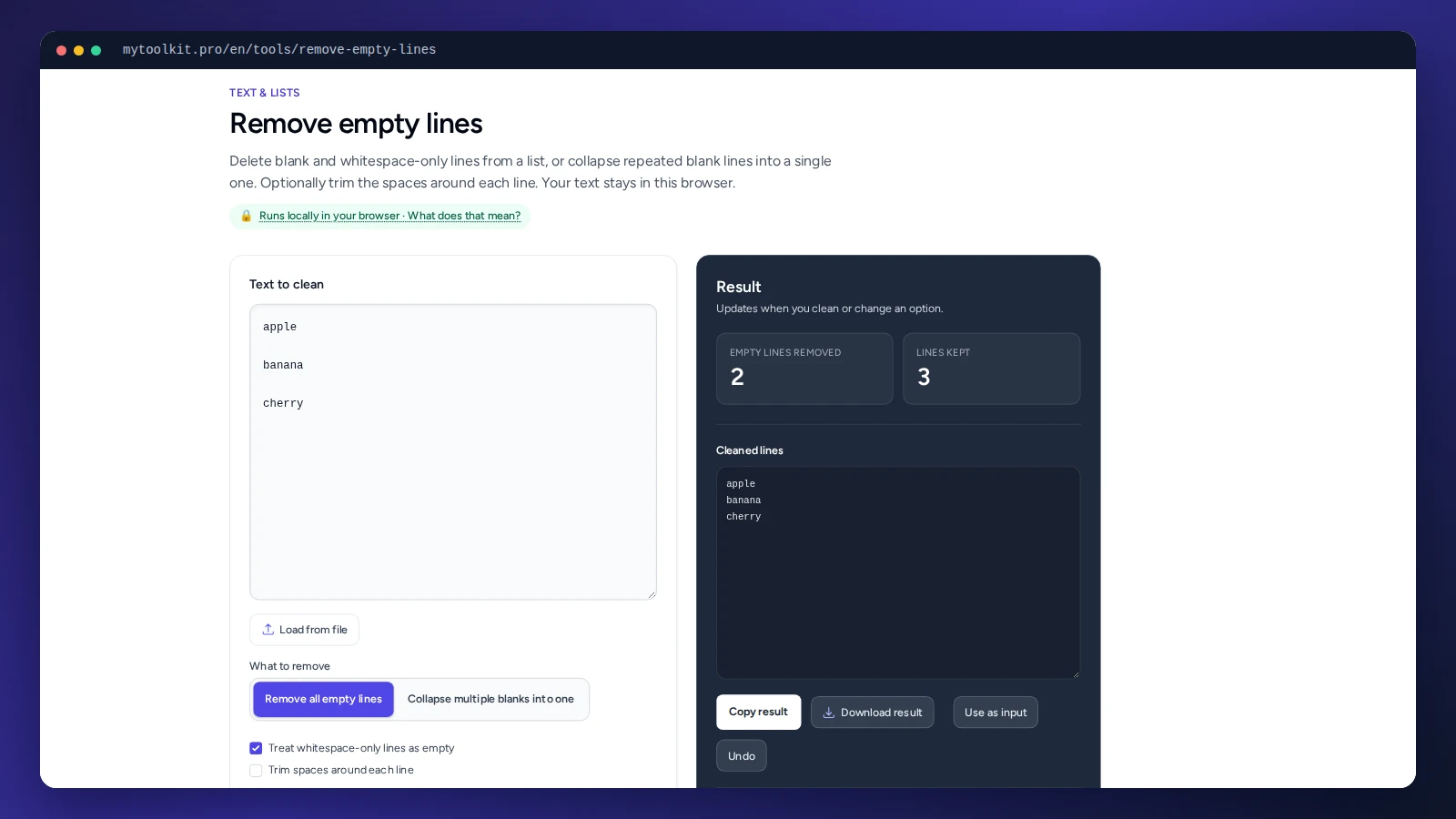
The Remove empty lines tool lets you choose either definition. With Treat whitespace-only lines as empty switched on (the default), a line counts as empty when it holds nothing but whitespace. With that option off, only lines of length zero count as empty, and whitespace-only lines are kept exactly as they are.
The carriage return left behind by Windows line endings
Systems don't agree on how a line ends. Windows text uses CR followed by LF, Unix-like systems use LF alone, and older Mac files used CR alone. The Unicode Standard lists these conventions, together with NEL and a few others, in Table 5-1. It advises that "CR, LF, CRLF, and NEL should be treated the same on input and in interpretation" (Unicode 16.0, §5.8).
Many tools split on LF only. Open a CRLF file in one of them and every blank line still holds one CR. Editors rarely show it, but ^$ no longer matches the line.
The browser tool converts every CRLF pair and every lone CR to LF before it splits the text. Blank lines from Windows or old Mac files are therefore recognised as empty.
The catch is that the output always uses LF. If the destination needs CRLF, convert the line endings back in another tool or your editor. This tool doesn't restore them.
Characters that look like nothing but count as content
With the whitespace option on, the usual invisible characters are handled like this:
| Character | Looks like | Counted as empty? |
|---|---|---|
| Space (U+0020) | Nothing | Yes |
| Tab (U+0009) | Nothing | Yes |
| No-break space (U+00A0) | Nothing | Yes |
| Byte order mark (U+FEFF) | Nothing | Yes |
| Zero-width space (U+200B) | Nothing | No |
The tool decides what counts as whitespace the way JavaScript's String.prototype.trim() does: it strips the ECMAScript WhiteSpace and LineTerminator characters from both ends of a string (ECMAScript, MDN). WhiteSpace covers tab, vertical tab, form feed, space, no-break space, U+FEFF and every other character in the Unicode Space_Separator category. LineTerminator covers LF, CR, the line separator and the paragraph separator (ECMAScript white space, MDN lexical grammar).
The zero-width space belongs to neither set. A line holding only U+200B therefore counts as content and is kept. To get rid of such a line, delete the U+200B character in your editor first; once the line is truly empty, the tool removes it.
To find out what a stubborn line holds, switch the whitespace option off and back on. If the line disappears only when the option is on, it holds whitespace. If it survives both ways, it holds something that isn't whitespace, such as U+200B.
A list wants no gaps, prose wants one
The right mode depends on the kind of text. In a shopping list, a column of IDs or a log extract, a gap means nothing and every one should go. For that, choose Remove all empty lines.
In pasted prose, email text or double-spaced output, the gaps mark paragraphs, and removing them all merges everything into one block. Choose Collapse multiple blanks into one instead. Each run of blank lines becomes a single blank line, and runs at the very start or end of the text also shrink to one.
This input:
Line one


Line two


Line three
becomes:
Line one

Line two

Line three
In collapse mode, the blank line that stays is the first line of its run, kept as it was, spaces included. To strip those spaces too, turn on Trim spaces around each line. Trimming only removes whitespace at the start and end of each kept line, and it never touches spaces inside a line. It runs after the empty-line check, so it doesn't change which lines are removed.
Why the counter shows one more removed line than you saw
Text that ends with a newline produces one extra, empty piece when it is split on newlines. Under POSIX, that final newline only ends the last line and doesn't start a new one (POSIX Base Definitions, ch. 3).
In remove-all mode the tool counts that piece. The letter "a" followed by a newline reports 1 under Empty lines removed.
The same input reports 1 under Lines kept, which is the "a" itself. Nothing you typed is lost and the order is unchanged; the extra 1 is just the empty piece after the final newline.
The same distinction on the command line
sed has the same two definitions:
# delete only truly empty lines
sed '/^$/d' input.txt

# also delete whitespace-only lines, including a stray CR
sed '/^[[:space:]]*$/d' input.txt
sed reads each line into its buffer without the terminating newline (POSIX sed). In a CRLF file the CR stays behind, so the first command misses those lines. The character class matters too. In the POSIX locale, [[:blank:]] means space and tab only. [[:space:]] adds carriage return, newline, vertical tab and form feed (POSIX ch. 7), which is why only [[:space:]] catches blank lines from Windows files.
Neither command removes the CR at the end of lines that hold content, whereas the browser tool converts all line endings to LF. For more on how ^ and $ anchor a match, see how regex engines work.
Clean the gaps before you sort, deduplicate or join
When you chain text tools, order matters. With Sort lines, blank lines don't go away; they gather together, usually at the top of an ascending alphabetical sort or after the numbers in a numeric one. In the Duplicate remover, a blank line counts as a value of its own. Clear the gaps first with the Remove empty lines tool, and the later steps see only content.
To put the cleaned list on a single line, use Join lines. To check how many lines remain, use the Lines counter. Repeated spaces inside lines are left alone here. For those, use the Whitespace normalizer.
Privacy
The text is processed by JavaScript in your browser and is never uploaded to a server. It stays on the page unless you copy it or pass it on to another tool.
FAQ
Does removing blank lines change Windows CRLF line endings?
Yes. The tool converts CRLF and lone CR to LF before splitting the text, and the output always uses LF. If the destination needs CRLF, convert the endings back in another tool or your editor.
Why does a line containing only a zero-width space survive the cleanup?
The whitespace test follows JavaScript's trim(), which doesn't strip U+200B. The line counts as content under either setting and is kept. Delete the character in your editor first if you want the line gone.
Is it safe to remove blank lines from a CSV whose quoted fields contain line breaks?
Not always. The tool works line by line and doesn't parse CSV quoting. A blank line inside a quoted multi-line field is removed like any other, which changes that field's value. CSVs with no field spanning several lines are not affected in this way.
Are characters trimmed from each line counted as removed lines?
No. The removed count covers only whole lines that were dropped. Trimming runs after the empty-line check, so turning it on leaves the count unchanged.
Will spaces in the middle of a line be changed?
No. Spaces inside a line are never touched. Spaces at the start and end of a line are removed only when trimming is on.